
Online ordering
A storefront on your own domain. Customers pick items, choose pickup or delivery, and check out — on a phone, without an app.
Manage. Order. Grow.
SY Merchant gives your small business a branded ordering page your customers actually enjoy using, plus everything behind it: orders, deliveries, customers, subscriptions, invoices, payments and the numbers that tell you how you’re doing.
Your own domain and branding. Set up for you — no software to install.
One system, not five
Most businesses stitch together a website, a spreadsheet, a notes app and a card reader. SY Merchant replaces the lot with one place that already knows your products, your customers and your prices.
A storefront on your own domain. Customers pick items, choose pickup or delivery, and check out — on a phone, without an app.
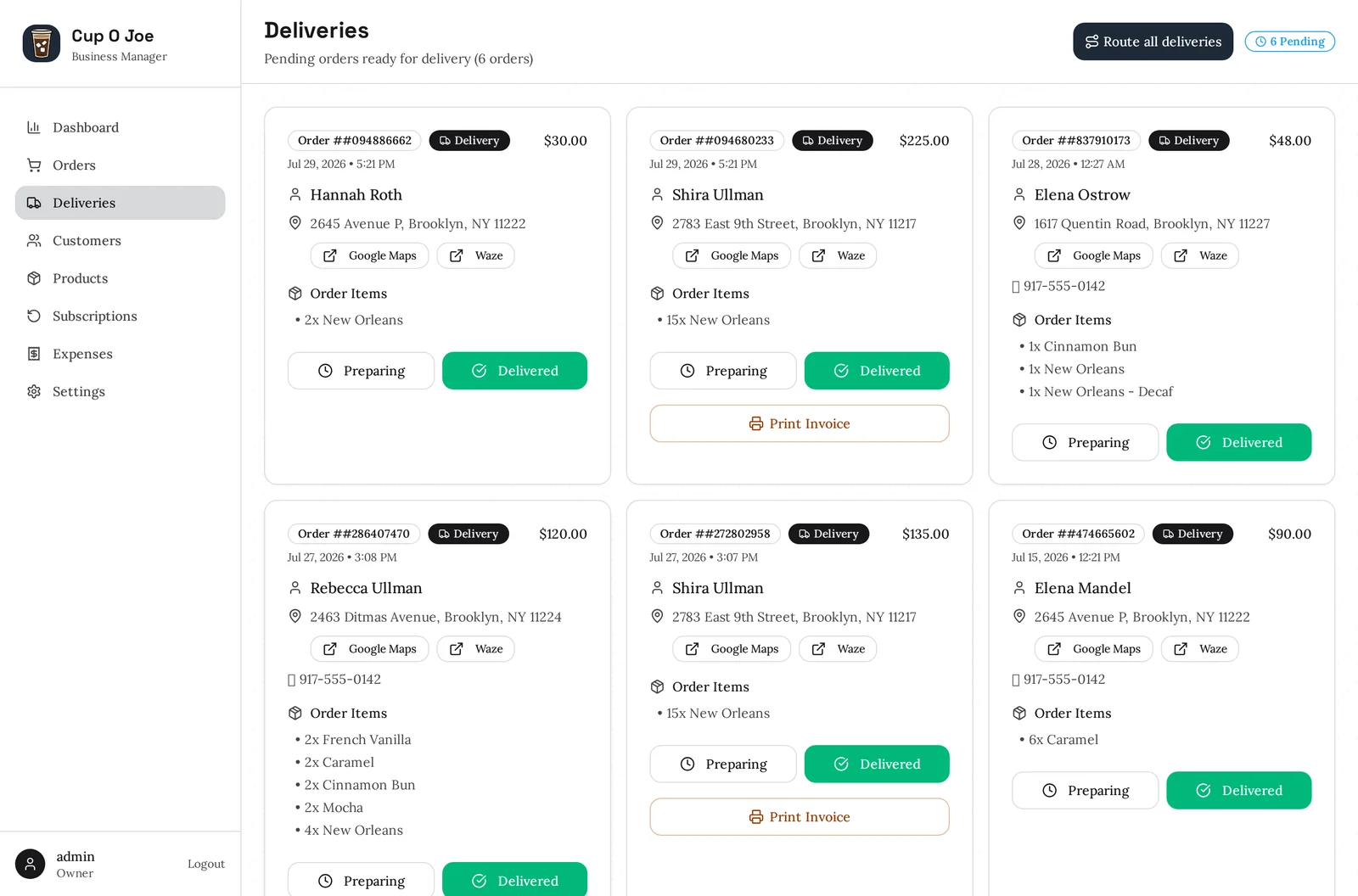
Every pending delivery on one screen with the address ready to open in Google Maps or Waze, and a one-tap route for the whole run.
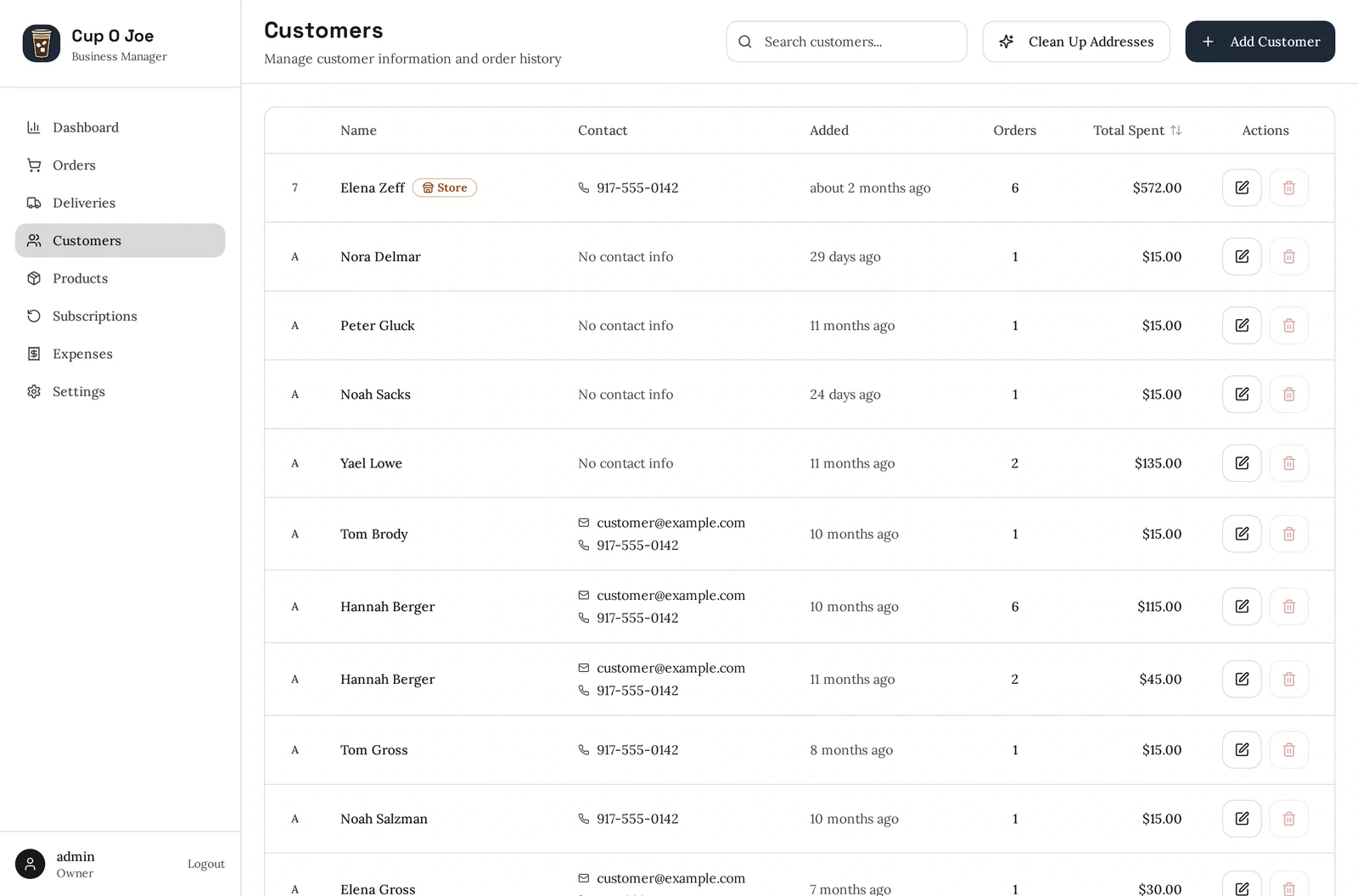
Order history, addresses and contact details in one place — with separate wholesale and retail pricing when you sell to both.
Set a customer up on a weekly or monthly schedule once and their order comes round automatically. Regulars stop being something you have to remember.
Card checkout through Stripe, plus Zelle and Venmo if that’s how your customers pay. Card fees can be absorbed or passed on — your call.
Revenue, expenses and profit, week by week or year over year — so you can see what sells and what a slow month actually costs you.
Order received, out for delivery, delivered — each text goes out on its own, in wording you can edit, with every message yours to switch on or off.
Percent off, dollars off, or free delivery. Give a code an expiry or a redemption cap, and watch how many times it’s been used.
Give a driver a login of their own that sees the delivery run and nothing else — they mark stops delivered, your numbers stay yours.
The customer side
Your logo, your colours, your wording, on your own web address. Customers order in a couple of taps — and returning ones just type their phone number and everything fills itself in.
The whole menu on one page, a running order total that follows the customer down the screen, and a checkout that only asks for what it needs.
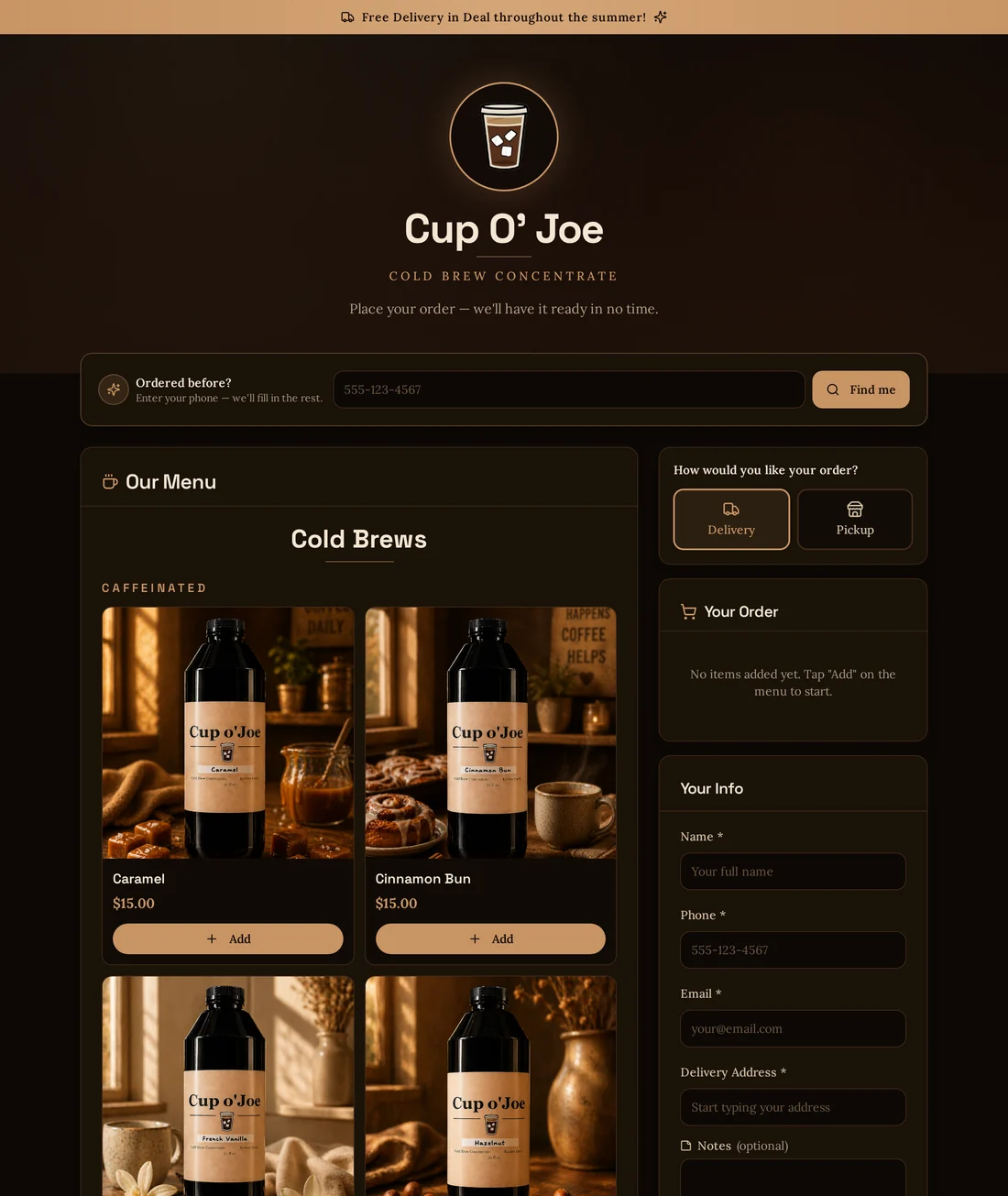
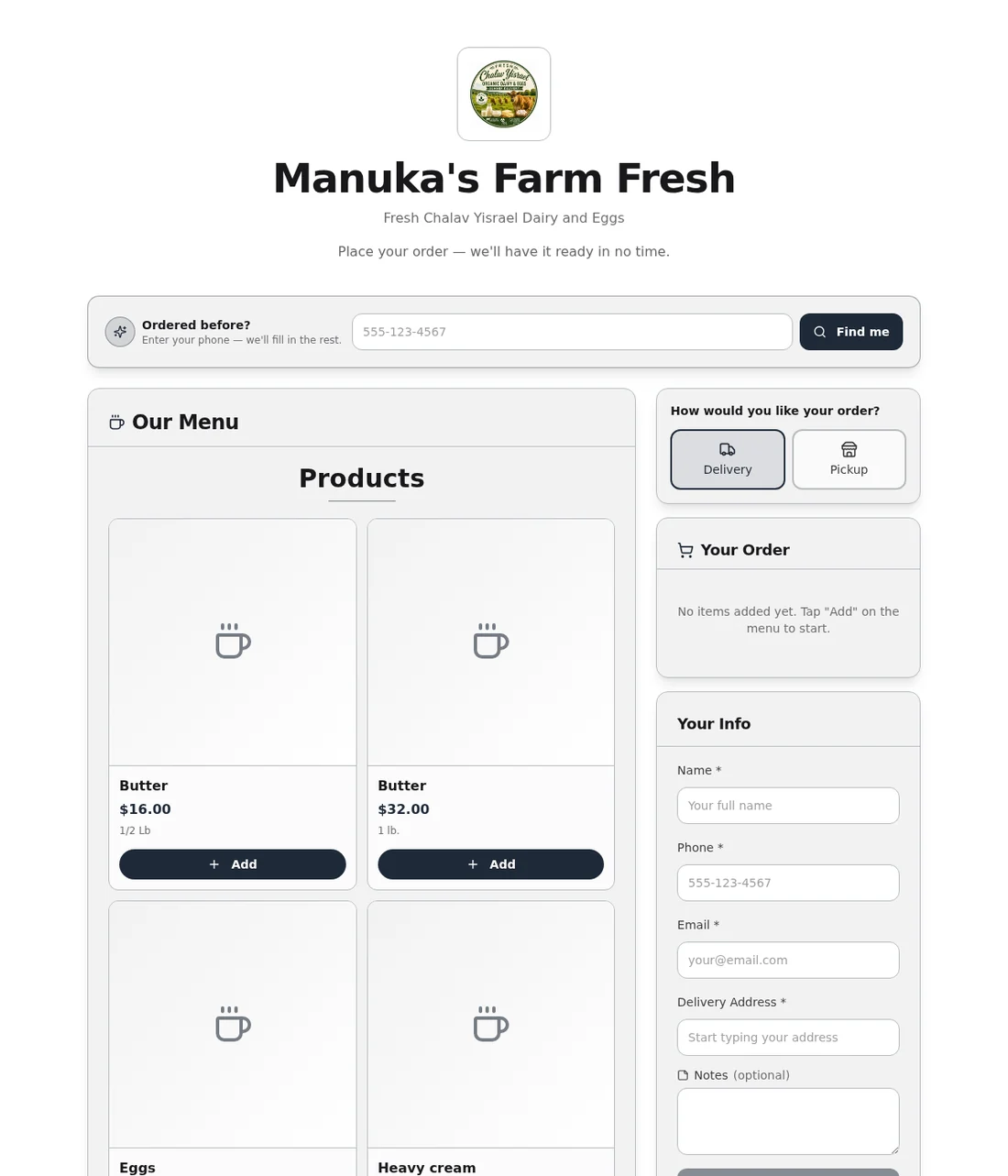
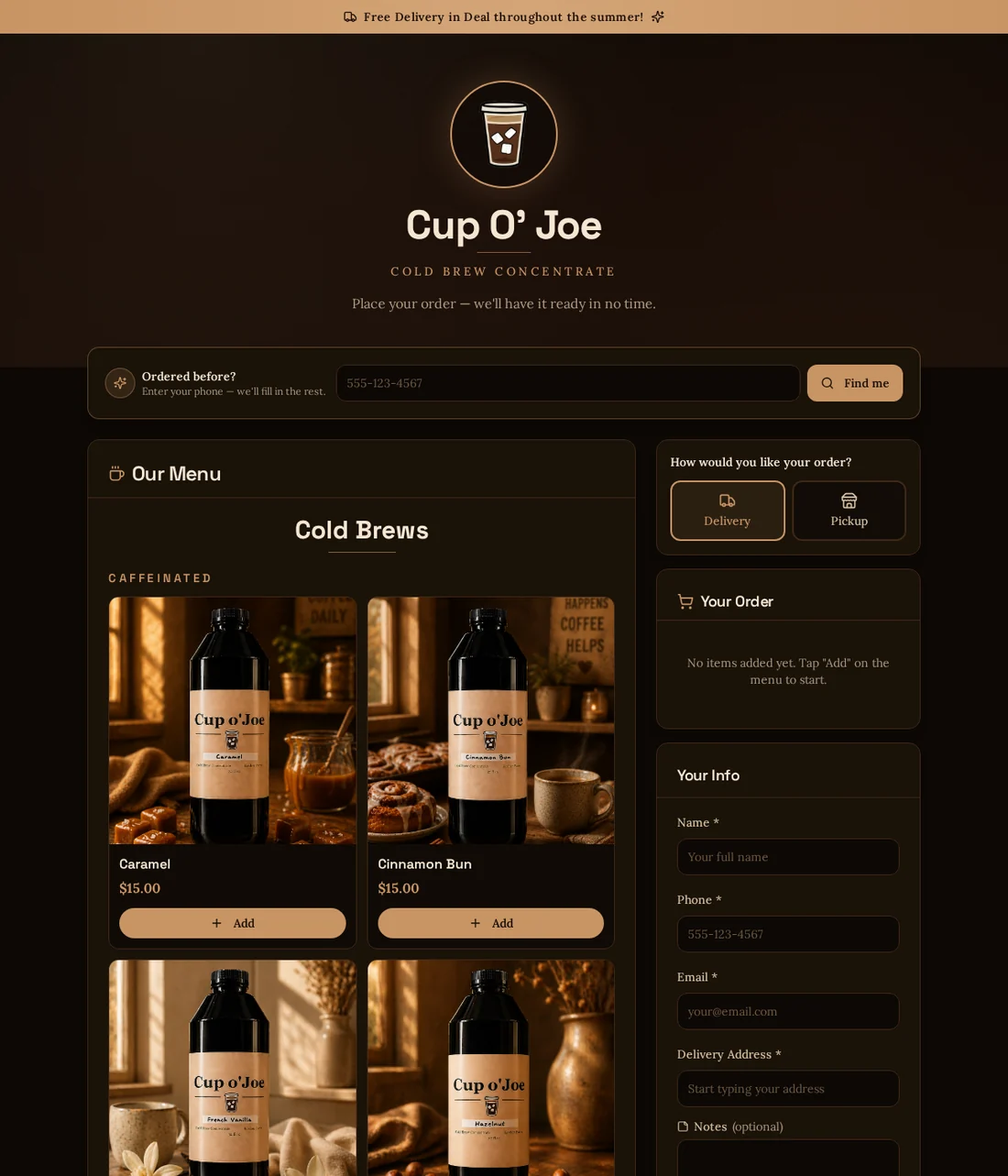
Pick a clean, plain storefront or something with more character — then change any colour in it. No design work required from you.
The business side
Orders arrive, deliveries get planned, invoices go out. No re-typing anything into a spreadsheet afterwards.
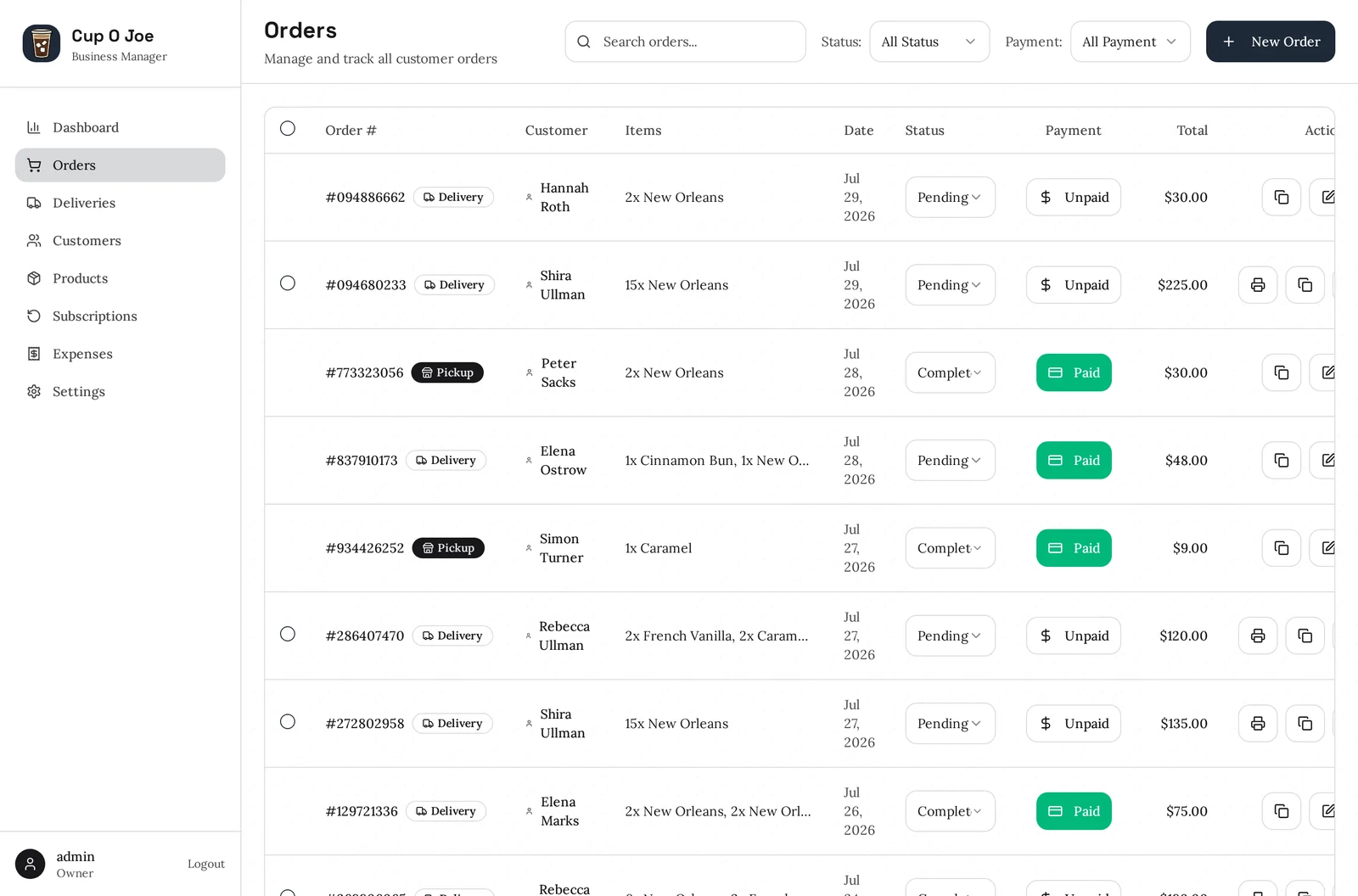
Every order in one list with what was bought, what it came to, and whether it’s been paid. Mark it preparing, then delivered. Print an invoice when a customer wants one.
Everything waiting to go out, each with the address, the items and a button straight through to Google Maps or Waze. Route the whole run at once.
Everyone who has ever ordered, with their history and details. Sell to shops as well as the public? Wholesale customers get their own pricing automatically.
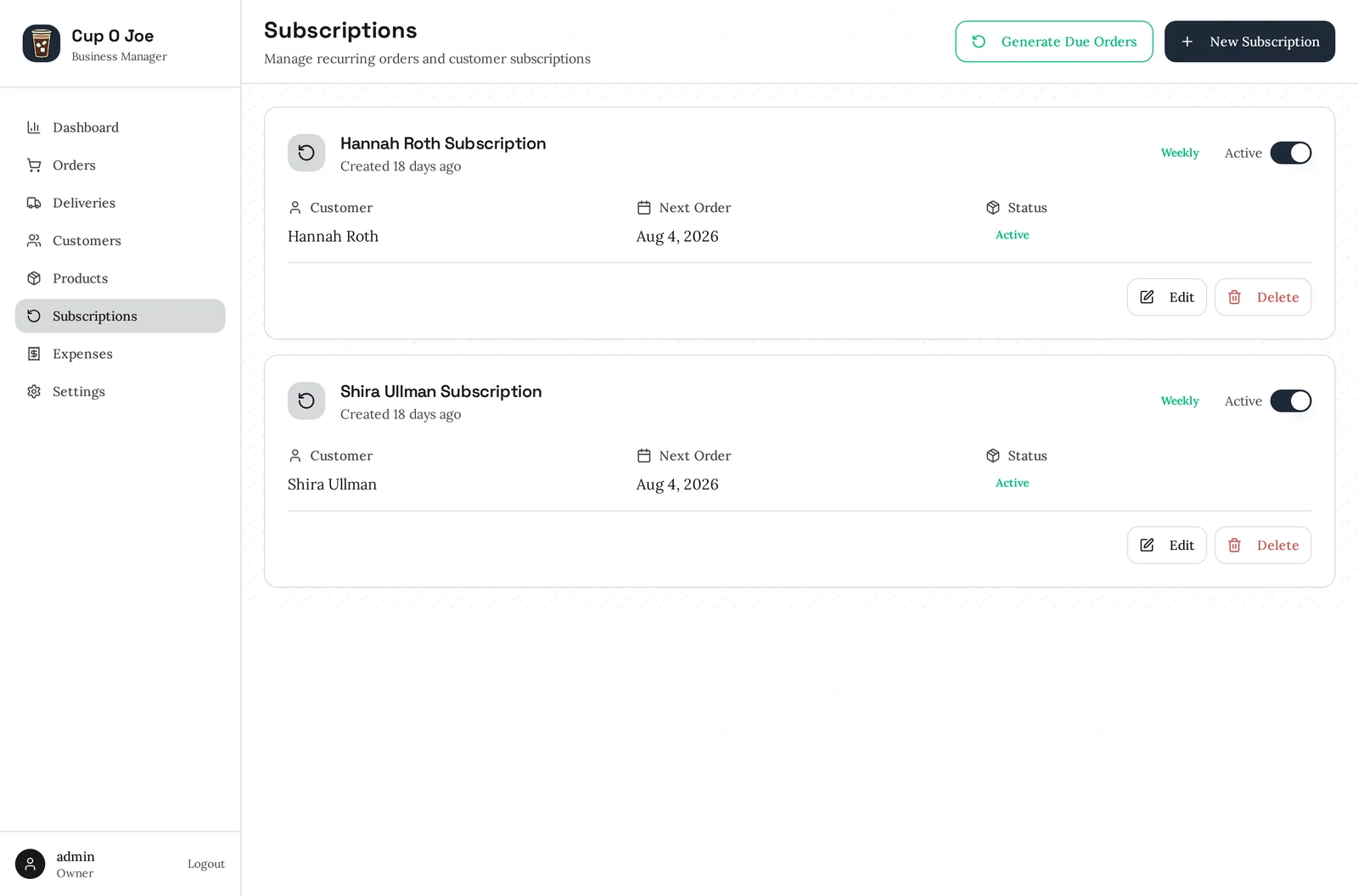
Put a customer on a weekly or monthly schedule and their order comes back around on its own — no reminder in your head, no missed week.
The numbers
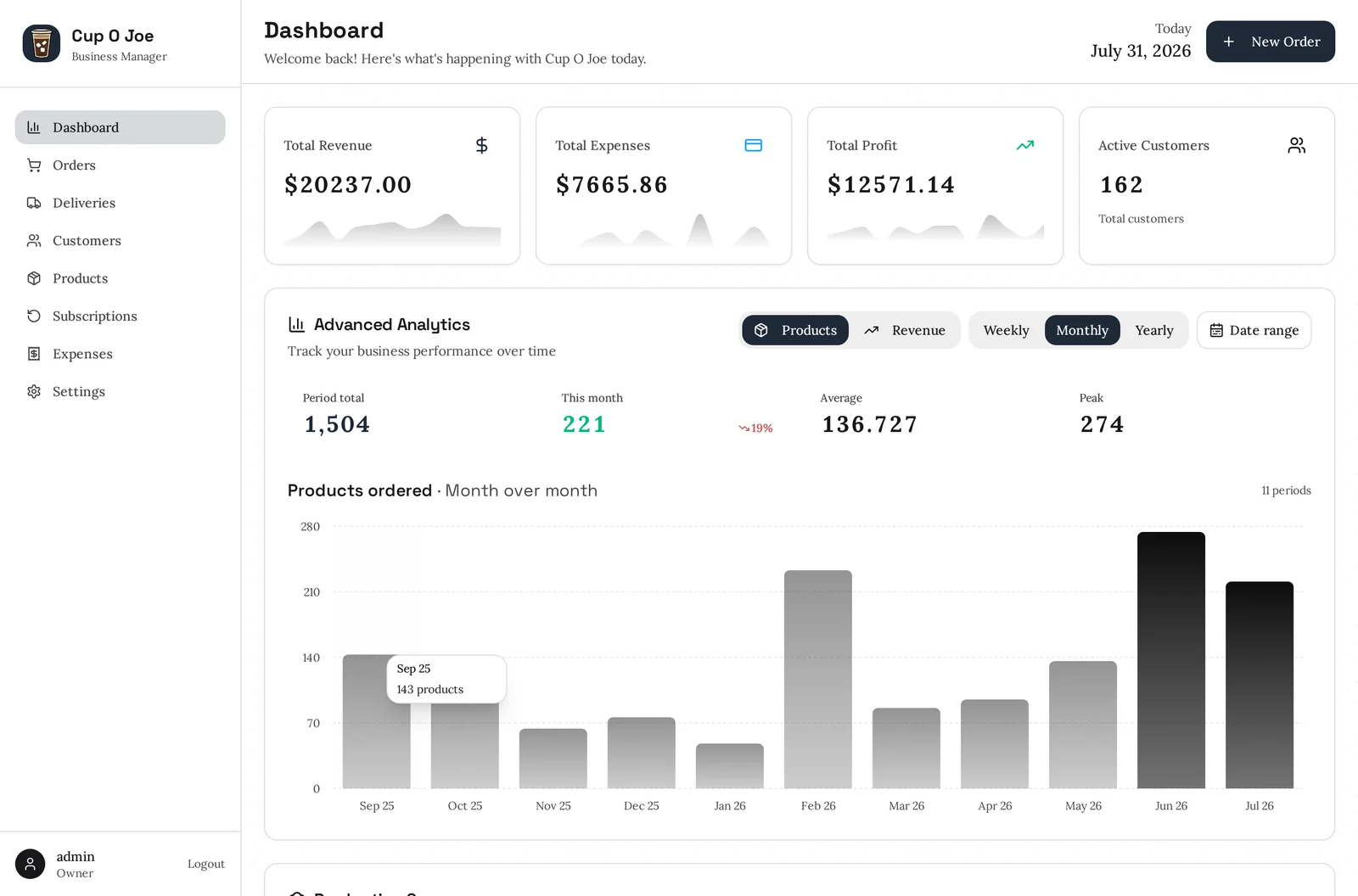
Not a report you have to build. It’s the first thing you see when you log in.
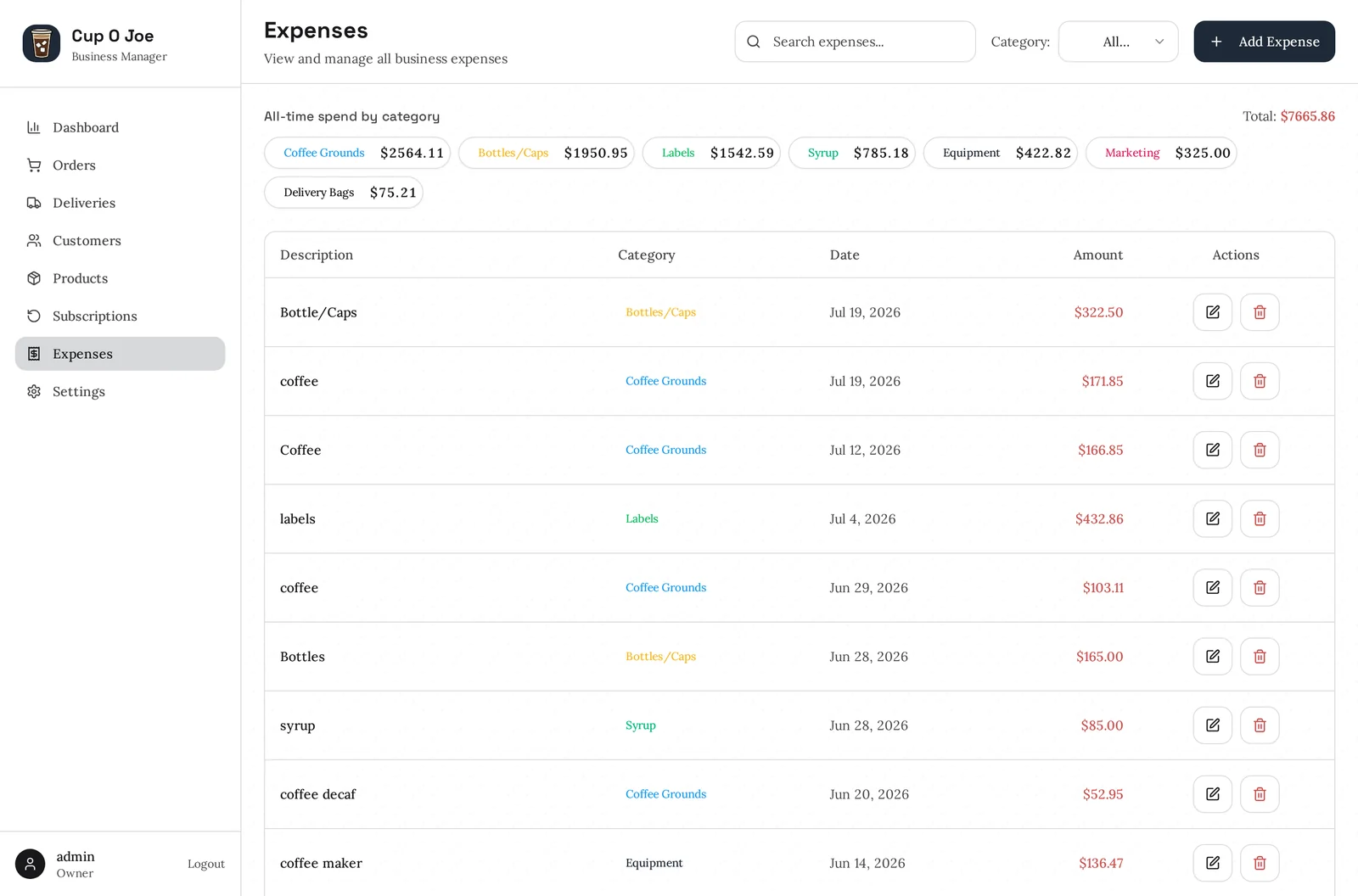
Track what came in and what went out, and see the trend across weeks, months or years. Log expenses as they happen so profit is a real figure rather than a guess.
Ingredients, packaging, fuel, rent. Record them once and they flow straight into the profit figure on your dashboard.
Make it yours
Everything below is a setting you control from your own admin — no support ticket, no waiting on us.
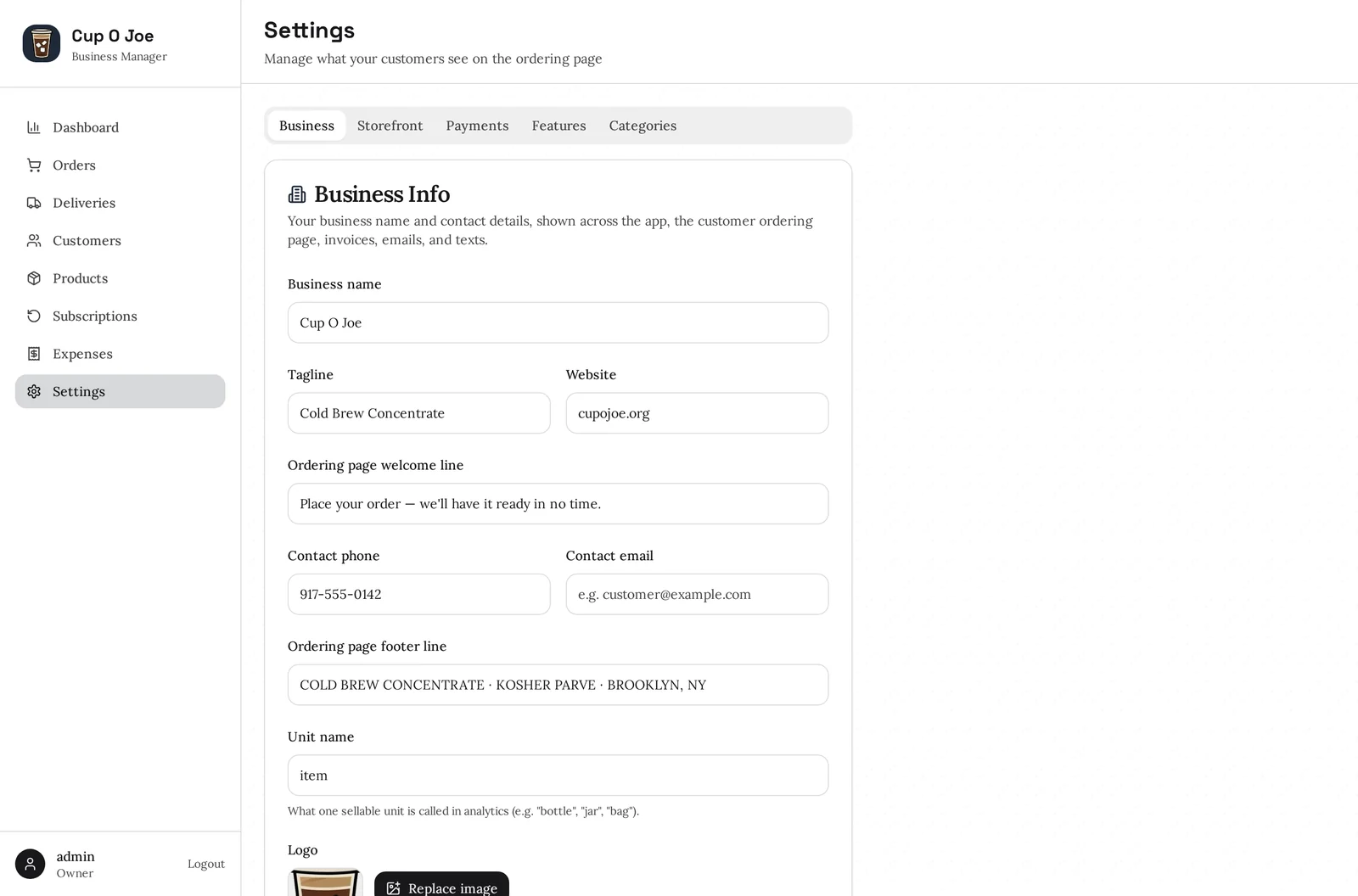
Name, tagline, logo, phone, email, website and the wording customers see.
Sell by the bottle, box, tray or item — the whole system uses your word.
Presets or your own palette, across the storefront, admin and invoices.
Pickup, delivery or both — and every pickup location you run, each with its own fee.
Card, Zelle and Venmo; delivery fees, free-delivery threshold, card-fee handling.
Which texts go out and the exact wording of each — edit any template, switch any message off.
Create codes, cap or expire them, and watch redemptions — no developer involved.
Turn subscriptions, customer accounts, texts or card payments on as you need them.
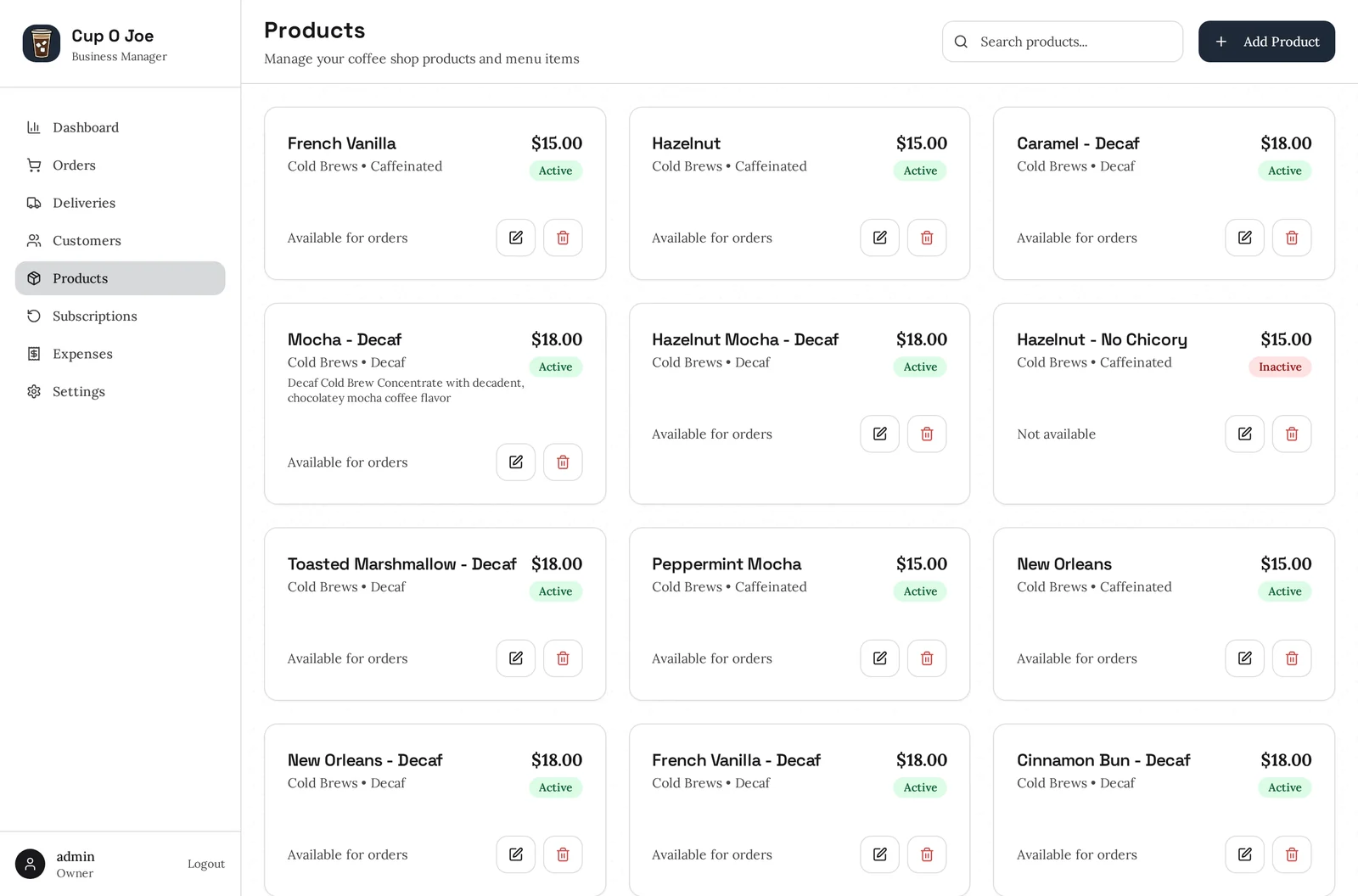
Organise the menu the way your shop actually thinks about it.
Photos, descriptions, prices — wholesale and retail — and what’s available.
Open for orders
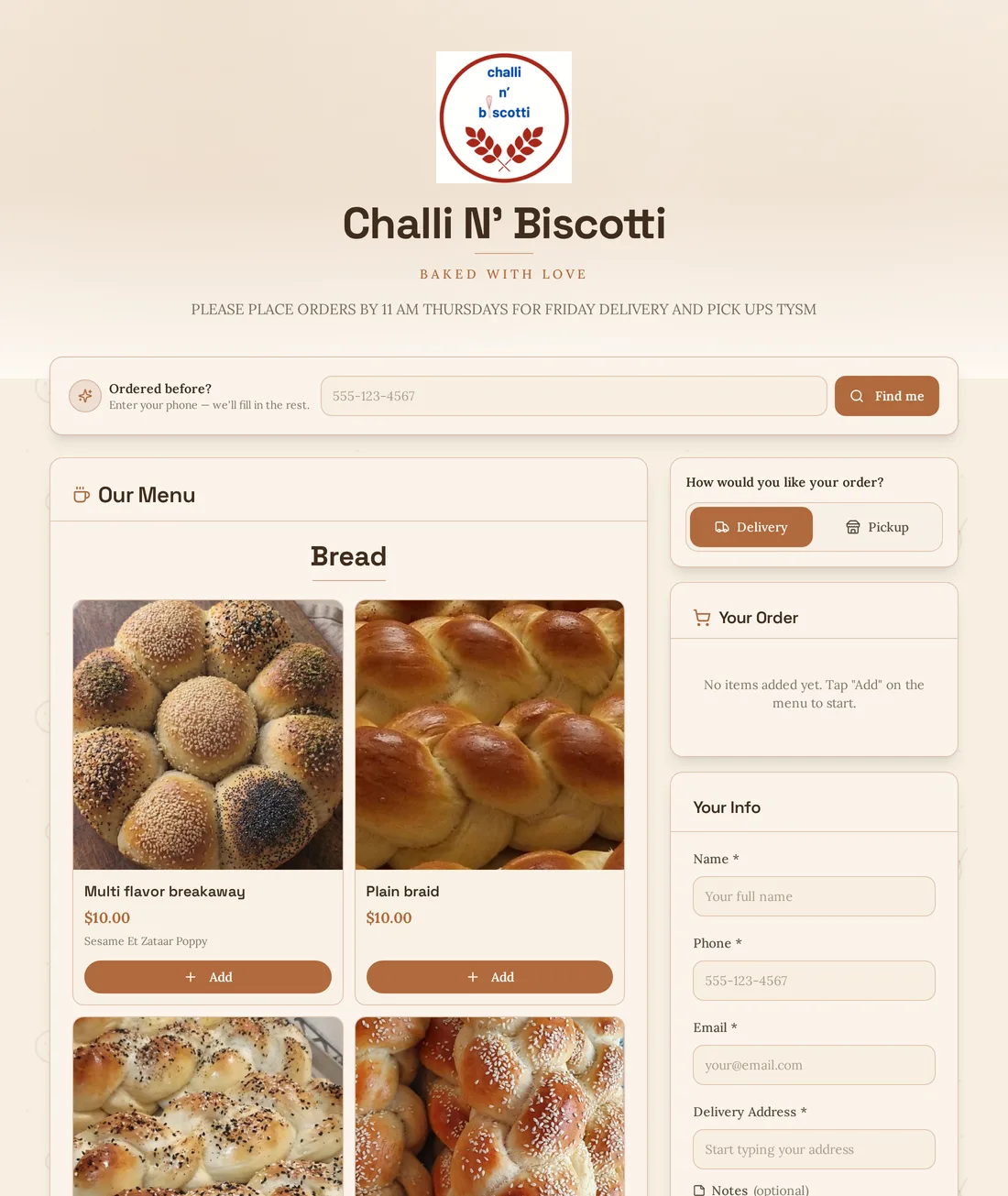
These aren’t mockups — every store here belongs to a real business taking real orders right now. Have a look around; they’re open.
Newest on SY Merchant
Hand-braided challah and biscotti, baked with love. Orders come in by Thursday morning and go out on Friday — her deadline, her delivery day, her rules, all set from her own admin.
Pricing
A one-person operation and a shop running hundreds of deliveries a month don’t need the same thing, and shouldn’t pay the same either. Tell us what you sell and how you sell it, and we’ll quote you plainly — no tiers to decode.
Questions
No. You get one as part of this — either a web address of ours to start with, or your own domain pointed at your store. If you already have a website, your ordering page can live alongside it.
Your store is created and online the same day. What takes the time is your side: your logo, your product list and your prices. Send those over and we’ll load them for you.
No. Every business gets its own separate database and its own web address. Your customers, orders and figures are yours alone.
By card at checkout through Stripe, and by Zelle or Venmo if you prefer. Card processing fees can come out of your margin or be passed on at checkout — you decide.
Yes — order received, out for delivery, and delivered can each go out automatically, in wording you can edit. You choose which messages send, and customers opt in properly and can stop them at any time.
Every order comes with its own private link. The customer can open it to see the order, make a change before it goes out, or pay by card — no account, no phone call to you.
Yes. A driver gets their own login that sees only the delivery run: the stops, the addresses, the map buttons, and a delivered button. Your customers, prices and numbers stay out of sight.
That’s built in. Mark a customer as wholesale and they get wholesale pricing automatically — on the storefront and on their invoices.
Yes. Your products, prices, colours, wording, delivery fees and which features are switched on are all yours to change whenever you like.
Get started
Tell us what you sell and how you sell it. We’ll set your store up, load your products and hand you the keys — usually the same day.
Prefer to look around first? See a real store.